
KeepSpace
Free up space with peace of mind.
Reversible methods first, and nothing is deleted until you confirm.
Available in 10 languages
What You Can Do
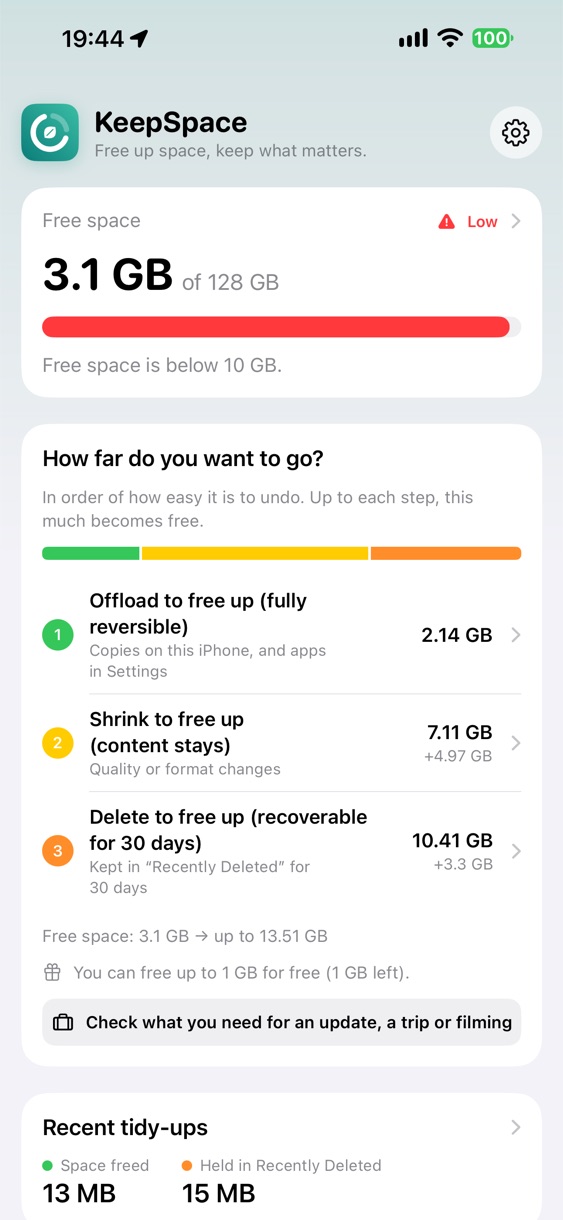
Choose by how safe it is
KeepSpace looks through your iPhone first and shows how much each step can free up. You decide how far to go.
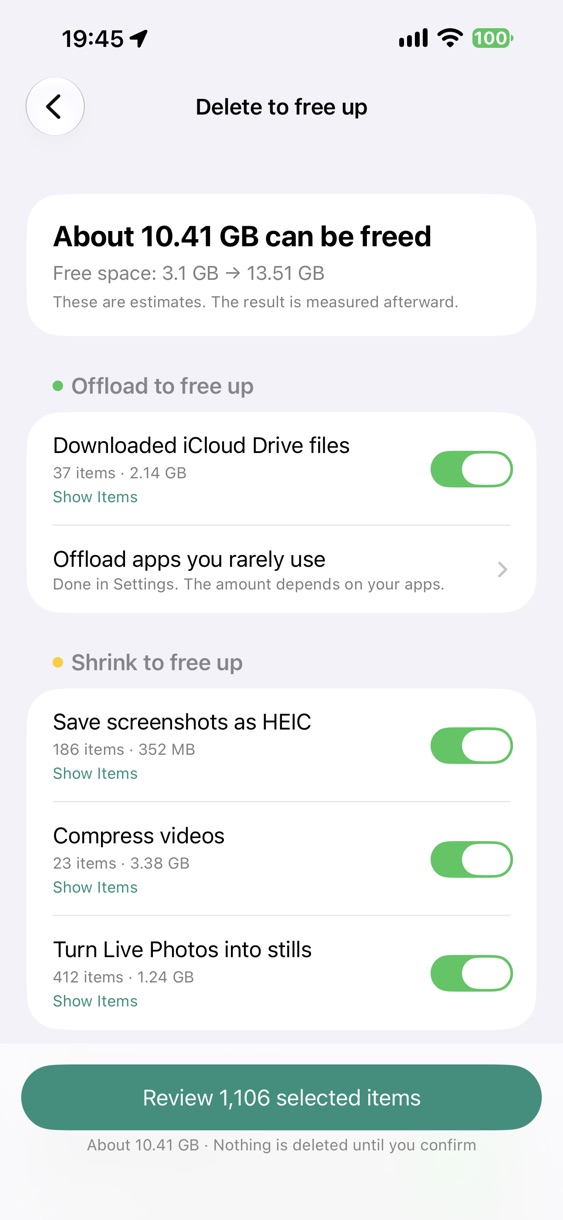
Offload to free up
Remove on-device copies of files stored in iCloud Drive. The files stay in the cloud and download again when you open them.
Shrink to free up
Convert screenshots to HEIC, compress videos, turn Live Photos into still photos. Dates and places carry over, and the originals can be recovered for 30 days.
Delete to free up
Identical photos, similar photos, blurry photos, old screenshots, duplicate files and old large files.
See what's coming
KeepSpace forecasts your free space from its records. Before an iOS update or a trip, check that you'll have enough room.
Analysis stays on iPhone
Photos and files are never sent to a server. No account, no ads, no usage tracking.
Reversible steps come first
KeepSpace frees up space starting with what's easiest to undo. Deleting comes last, and KeepSpace tells you clearly before you get there.
- 1. Offload to free up — Fully reversible. Nothing is lost.
- 2. Shrink to free up — The content stays. Originals can be recovered for 30 days.
- 3. Delete to free up — Kept in Recently Deleted for 30 days, so you can get it back.
Your memories are protected from the start
- Favorites and recent photos
- Photos with people
- Photos from trips and events
- Albums, periods, folders and file types you add to your Safe List
Pricing
Download for free and use every feature to free up a total of 1 GB. To free up more, make a single in-app purchase — one time, no subscription, no ads. Storage overview, forecast, widgets, alerts, Prepare and Safe List stay free forever.
System Requirements
| iPhone / iPad | iOS 18 or later (iPhone) |
|---|---|
| Latest version | iPhone / iPad 1.0 (Release Notes) |