
RenameKing
Rename lots of files at once — exactly your way.
That folder full of “IMG_0231.JPG”? Tidy in one go.
Available in 10 languages
What You Can Do
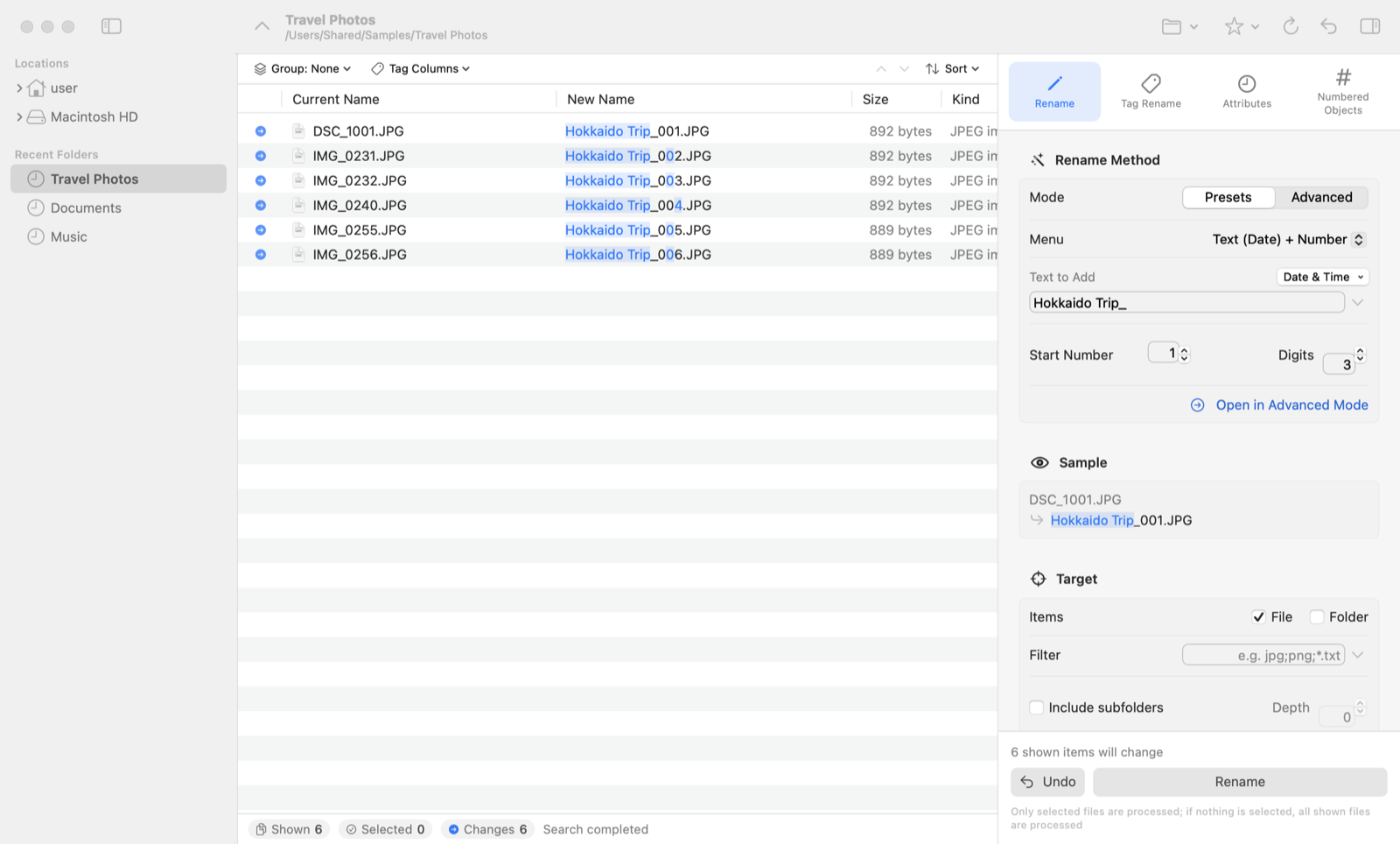
Rename
Add numbers or dates, remove or replace text, change case — just pick from a menu.
Tag Rename
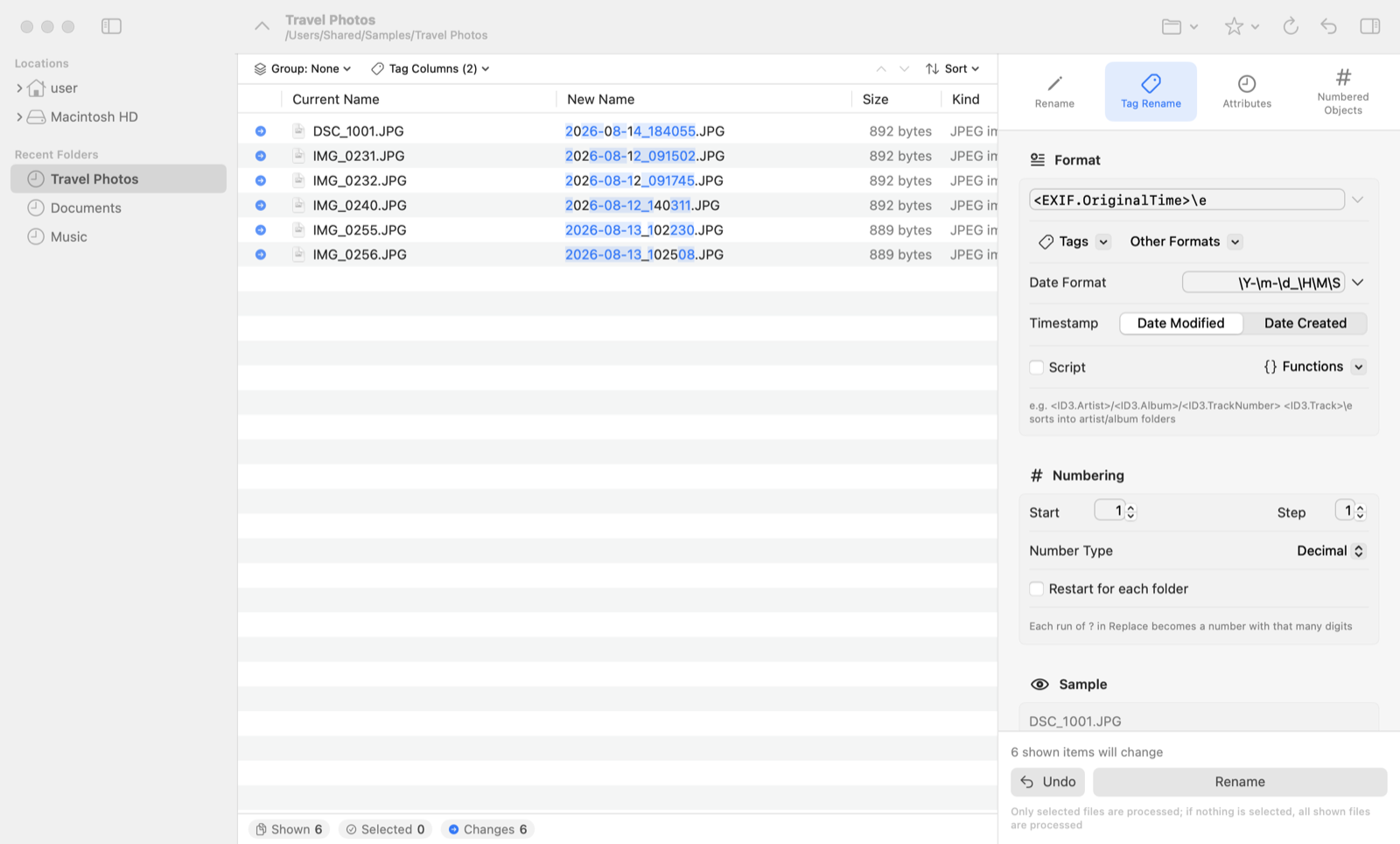
Use what’s inside your files: photo capture dates, song titles and artists, document titles.
Change Dates
Change modification and creation dates in bulk — even fix a camera clock that was off.
Numbered Folders
Create numbered folders or files such as “Chapter 01” to “Chapter 12” in one go.
Move, Copy & Sort
Move or copy files while renaming, and sort them into folders by date or album automatically.
Undo
Oops? No problem. Undo the last operation — even after quitting the app.
See exactly what changes
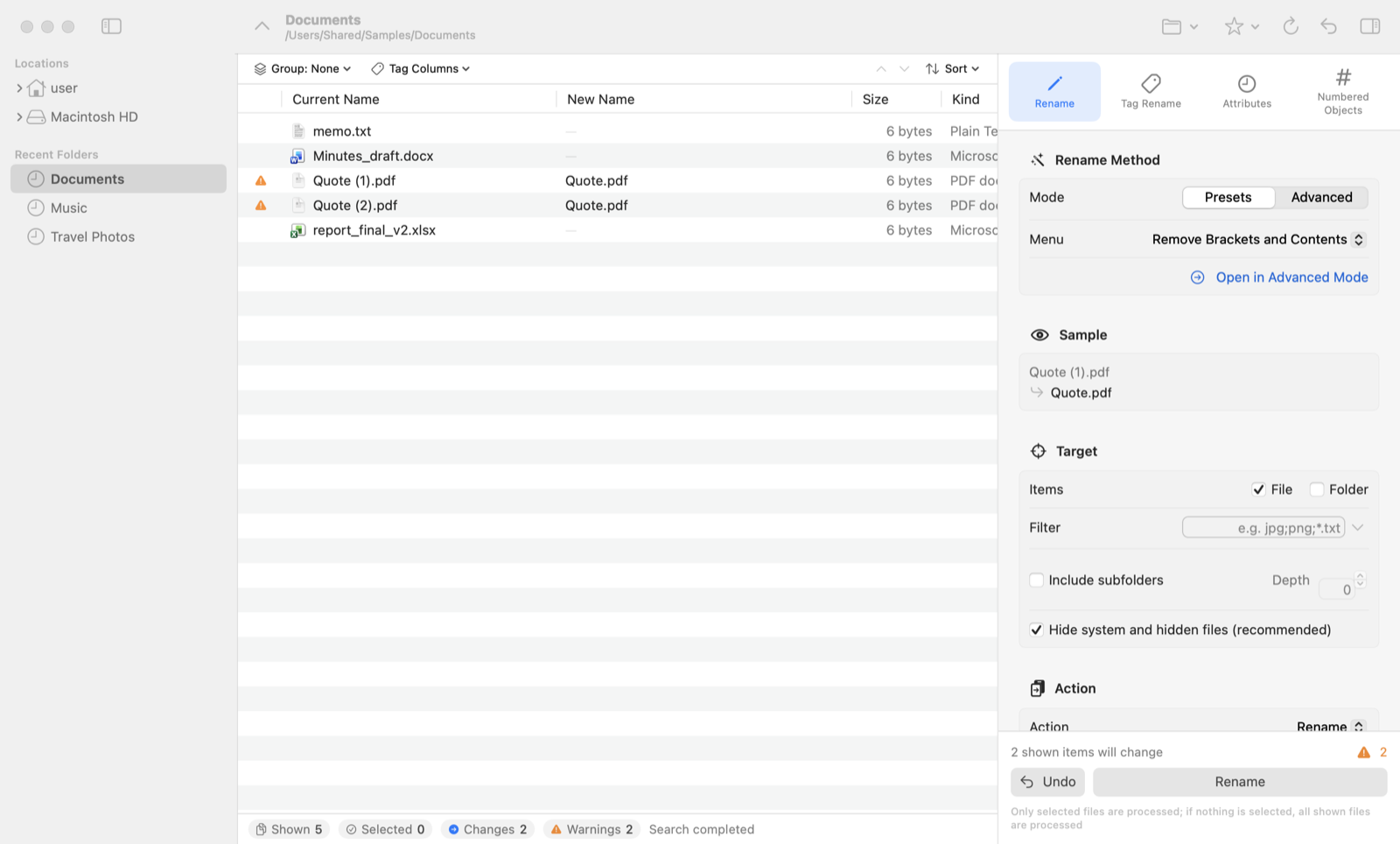
Current and new names sit side by side, with the changed parts highlighted. Name clashes are flagged before you run anything, so you can rename in bulk with confidence.
- Results update instantly as you tweak settings
- Fix individual names by hand (F2)
- Duplicates are avoided with automatic numbering
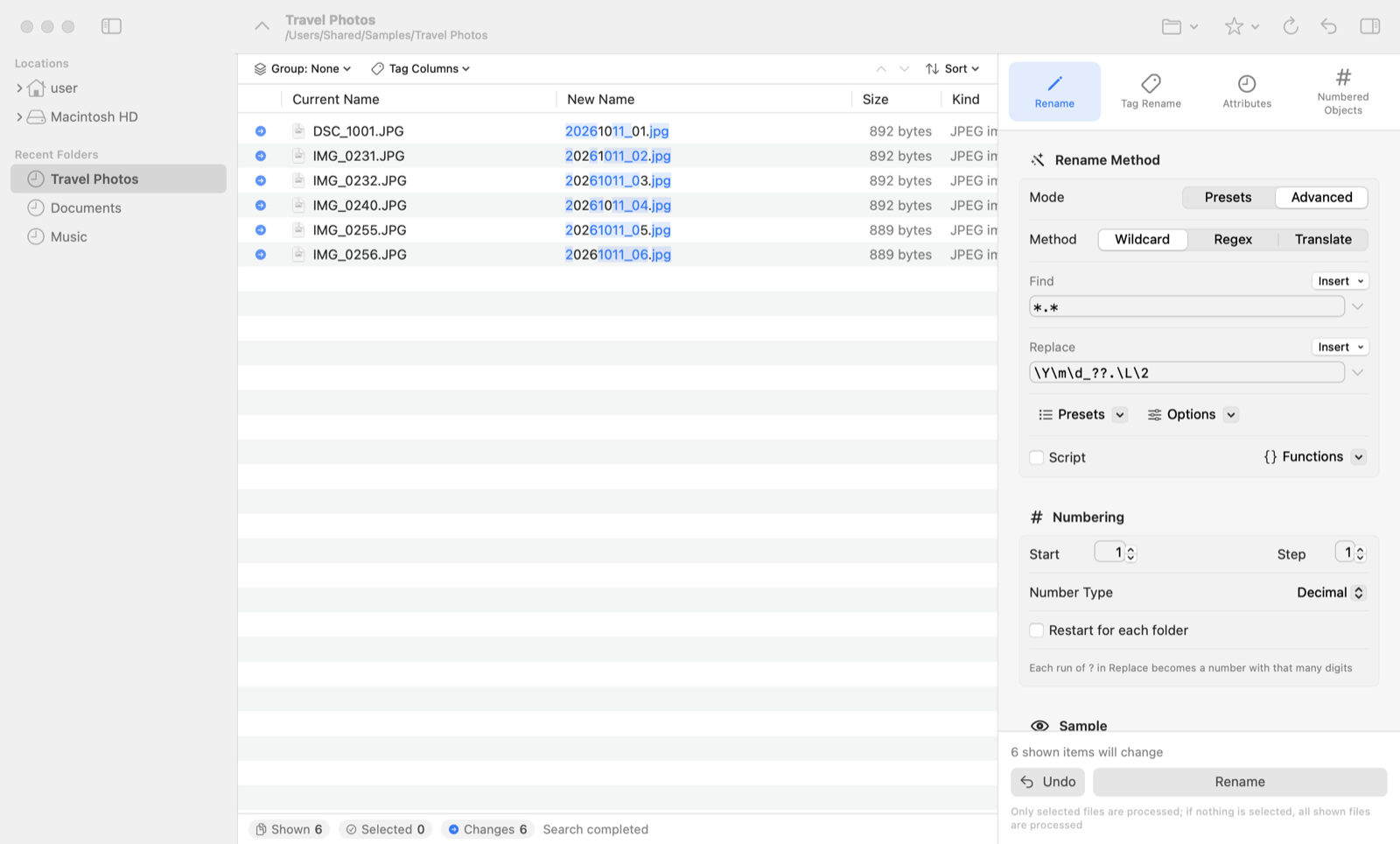
Regular expressions for power users
Build any name you like with just two fields: Find and Replace. Save your favorite settings as presets.
IMG_0231.JPG → 20260928_01.jpg
report_final_v2.xlsx → report_final.xlsx
JavaScript scripting lets you automate even complex rules.
Sort photos and music by what’s inside
Use capture dates, song titles, artists and albums, and the titles of Office documents and PDFs in file names.
IMG_4410.JPG → 2026-08-12_091502.JPG
track03.mp3 → 03 Morning Light.mp3
System Requirements
| Mac | macOS 15 or later (Apple silicon & Intel) |
|---|---|
| Languages | 日本語, English, 简体中文, 繁體中文, 한국어, Deutsch, Français, Español, Italiano, Português (Brasil) |
| Supported tags | Music (MP3, AAC/M4A, FLAC, Ogg, WMA and more), photos (JPEG, HEIC, TIFF, RAW and more), IPTC, Word, Excel, PowerPoint, PDF, HTML |
| Latest version | Mac 1.0 (Release Notes) |
📖 User Manual
From the basics to pro tips.
💬 Support
FAQ and tips.
🔒 Privacy
We collect no data at all.
Mac, macOS, Finder and App Store are trademarks of Apple Inc.